FireFlies Setup
When setting up your fireflies account you will need to do the following:
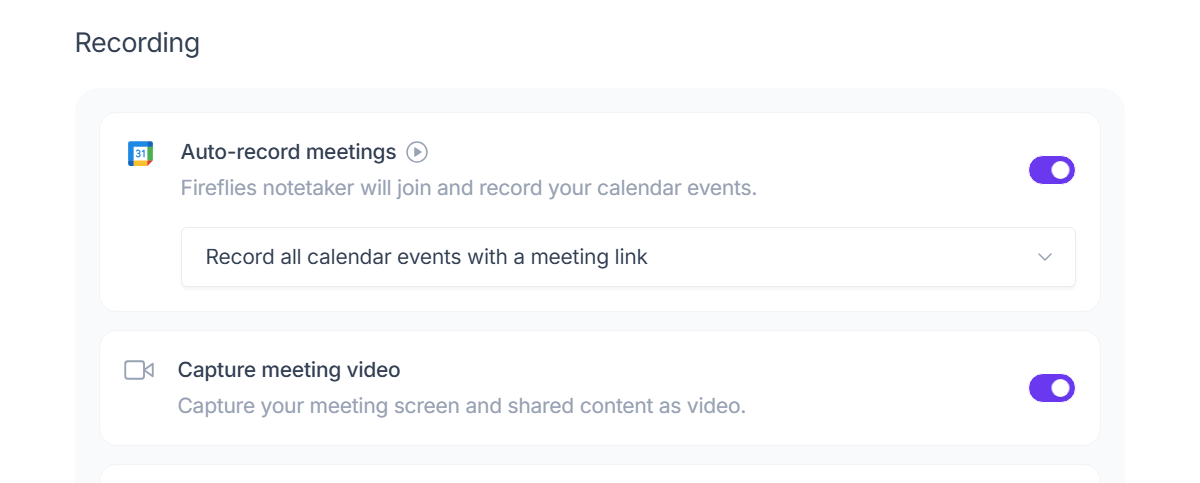
Enable Auto Video recording
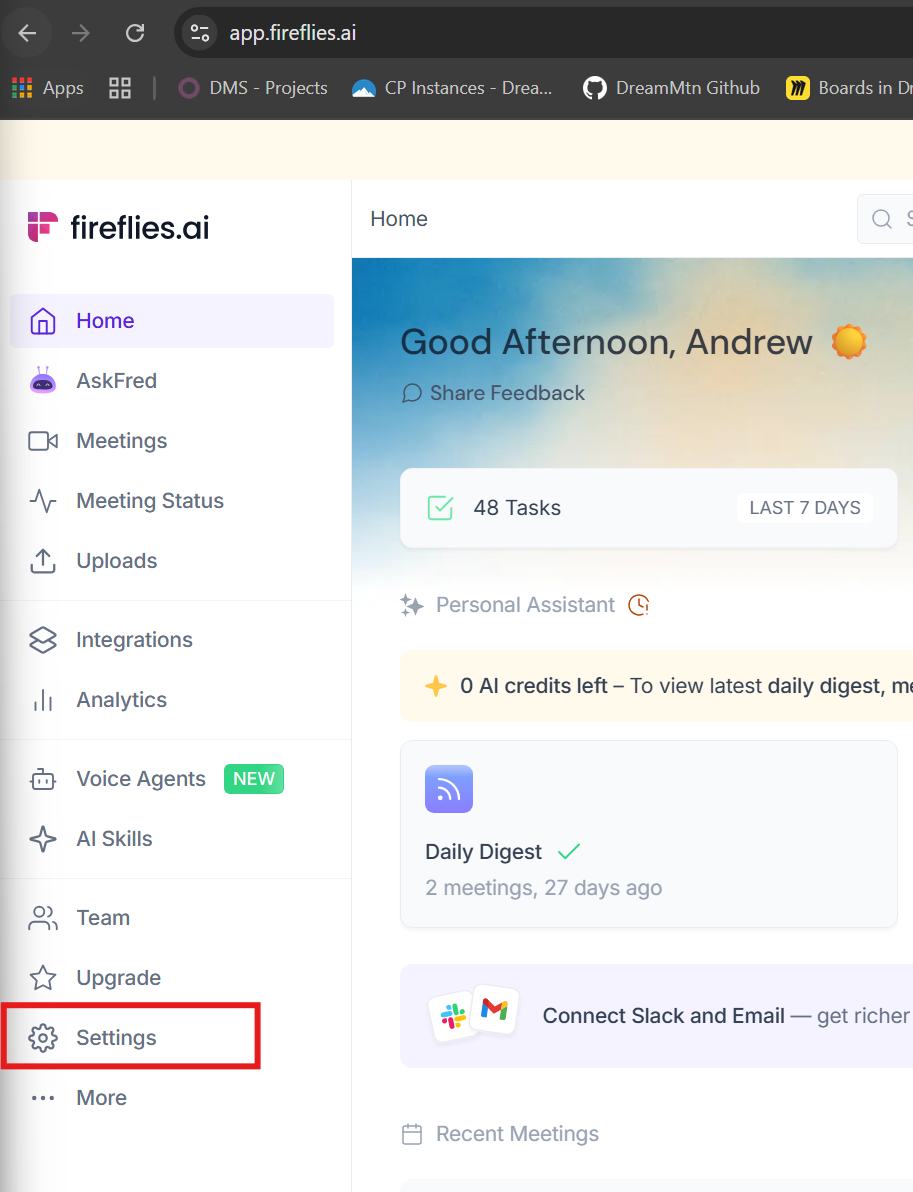
- Go to Settings:
- Turn on Auto-Record Meetings & Capture meeting video
Enable Webhook
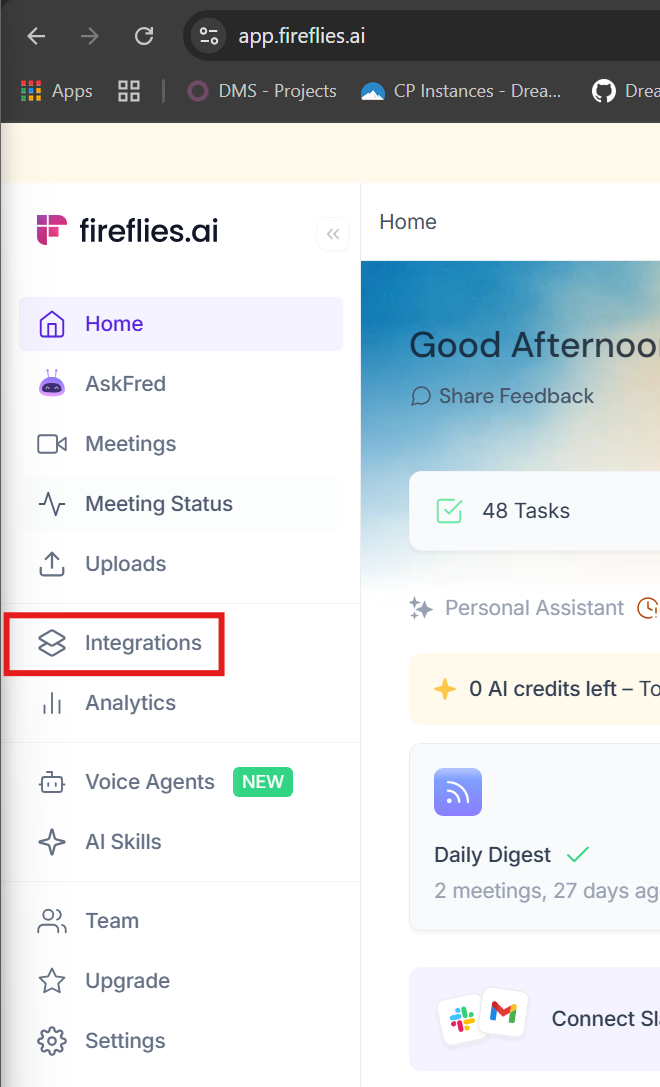
- Click on Integrations
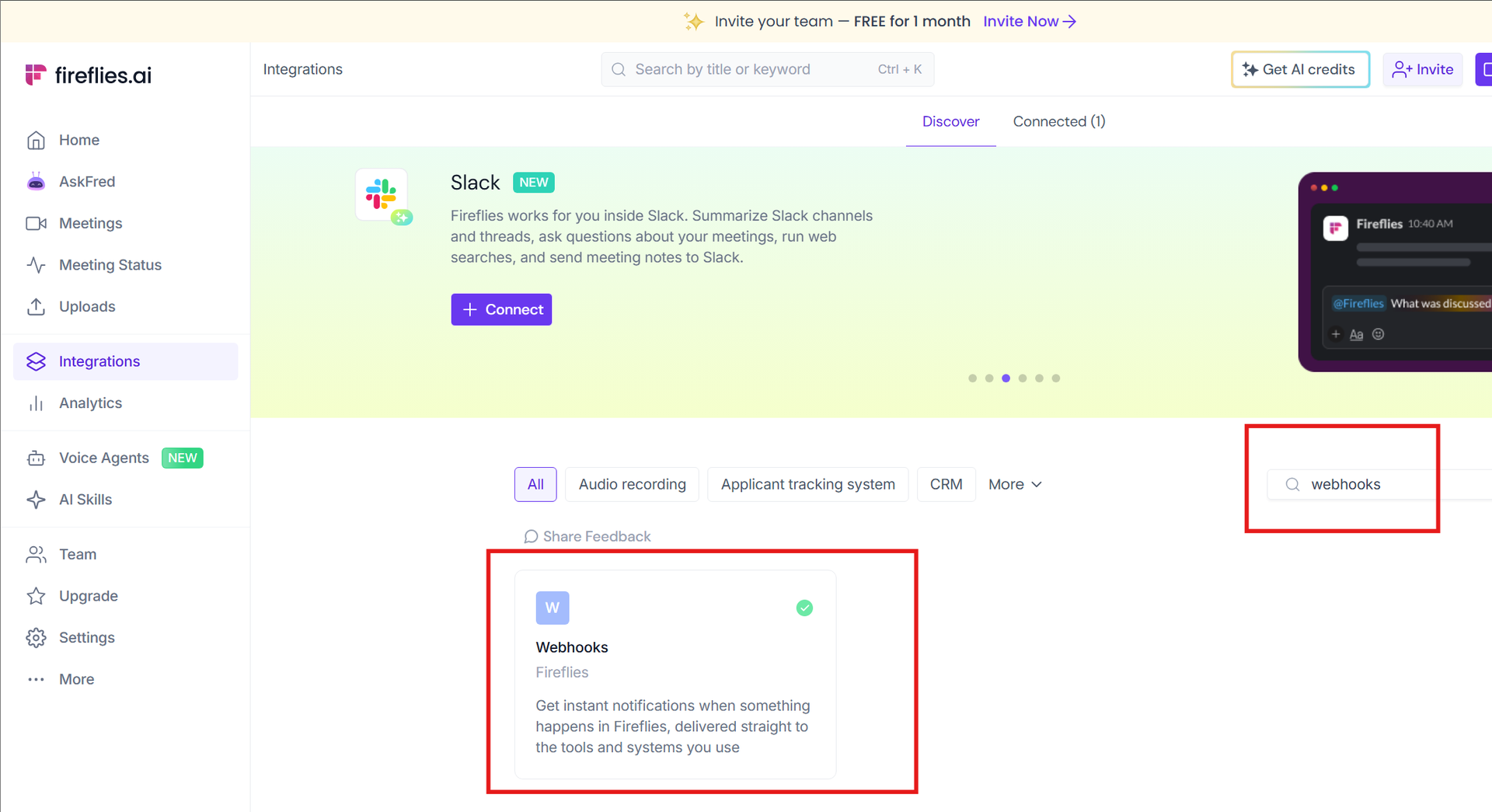
- Search Webhooks
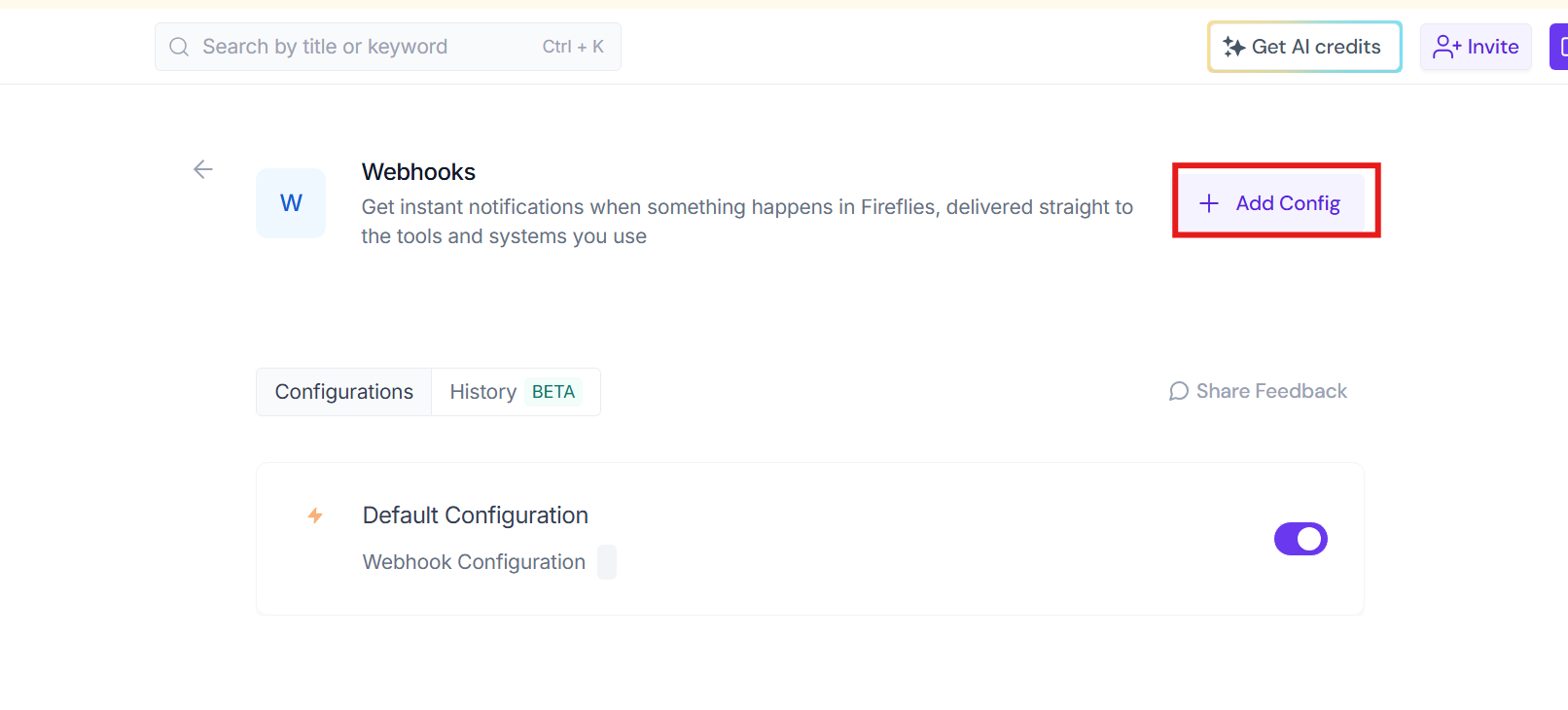
- click Add Config
- Enter the following details
- Webhook URL: https://www.dreammtn.services/fireflies/webhook
- Signing Secret: tJ02SzgX8zwmLkCdaTamteJW
- Event Subscriptions: "Meeting Transcribed"
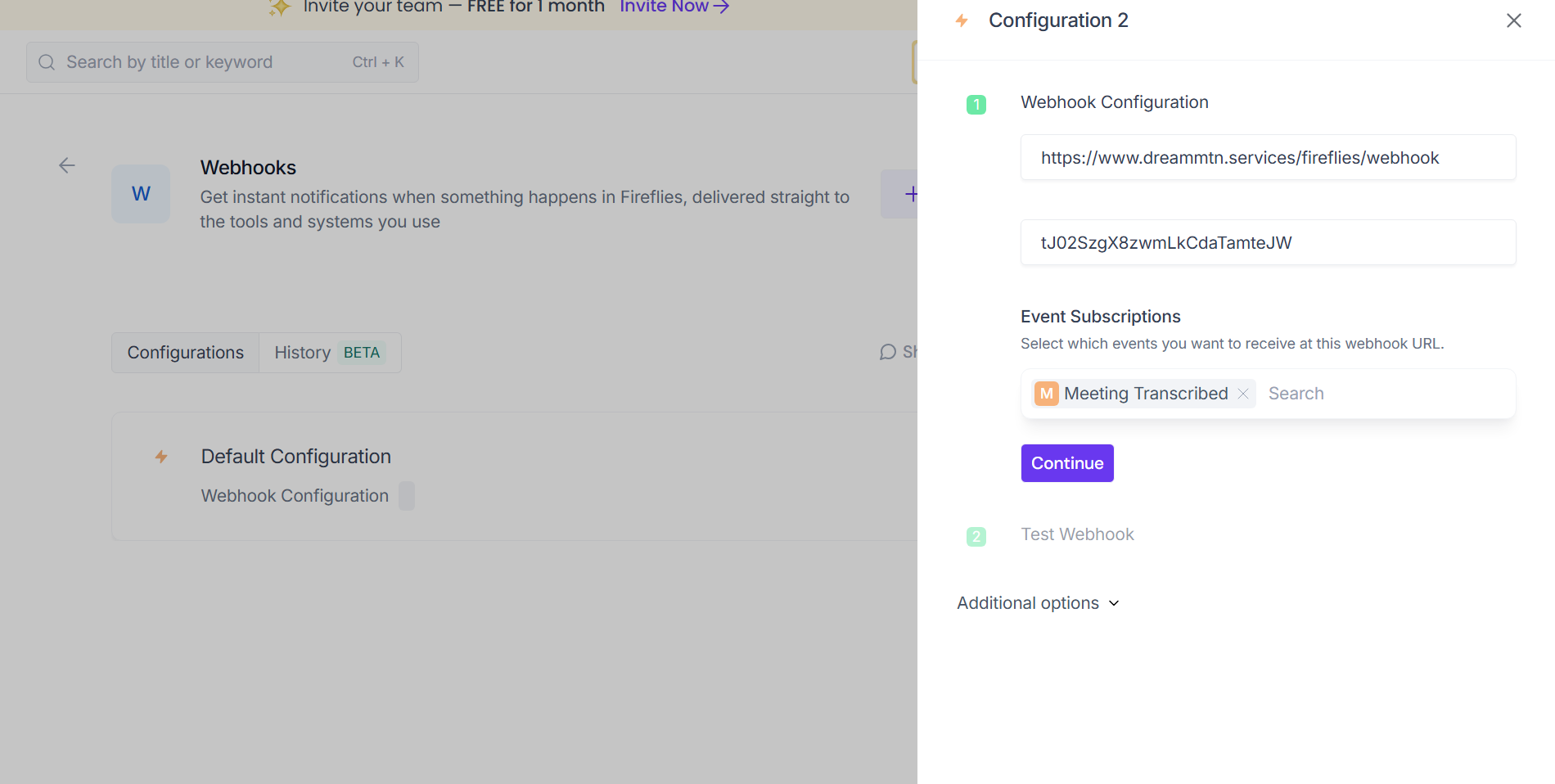
- Continue and Test